Bullet Storm
A downloadable game for Android
Welcome to the World of "Bullet Storm"!
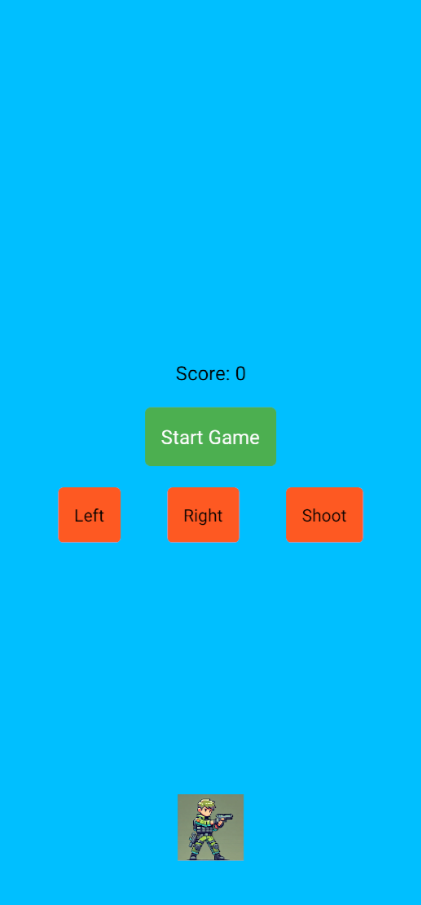
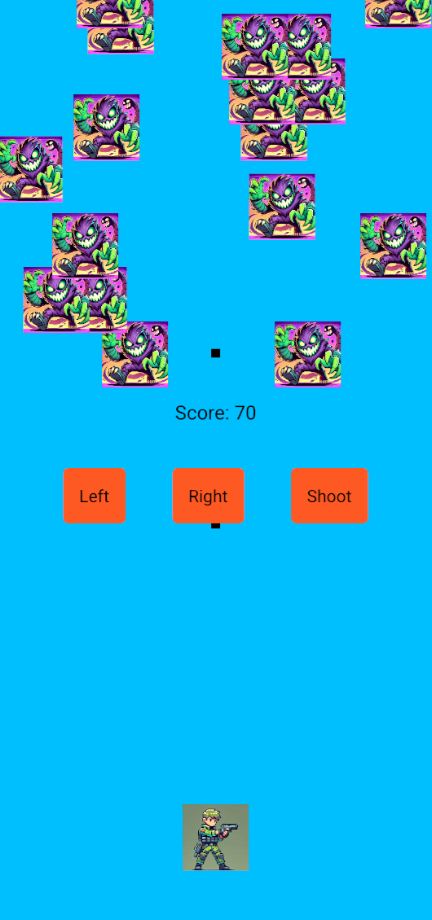
Dive into an adrenaline-fueled action experience where you battle relentless enemies in a vibrant, dynamic environment.
Key Features:
- Intense Gameplay: Experience fast-paced action with intuitive controls and challenging enemies.
- Unique Power-Ups: Unlock special abilities that change the course of the game.
- Stunning Graphics: Immerse yourself in beautifully crafted landscapes and character designs.
- Multiplayer Mode: Team up with friends or compete against them in thrilling challenges.
The Story: In a world where chaos reigns, you play as a skilled warrior determined to restore peace. Embark on an epic quest, defeat powerful foes, and uncover the secrets of your past.
Join the Fight! Download "Bullet Storm" today and take your place in the battle!
Download
Install instructions
Download & Install Instructions
- Download the APK File:
- Click the link to download the APK file for your game. The file will typically be named
app-release.apk
- Click the link to download the APK file for your game. The file will typically be named
- Enable Unknown Sources:
- Before installing the APK, ensure that your device allows installations from unknown sources. To do this:
- Go to Settings > Security > Install unknown apps.
- Select the browser or file manager you will use to install the APK.
- Enable Allow from this source.
- Before installing the APK, ensure that your device allows installations from unknown sources. To do this:
- Install the APK:
- Locate the downloaded APK file in your device's Downloads folder or the location where you saved it.
- Tap on the APK file to begin the installation process.
- Follow the prompts to complete the installation.
- Run the Game:
- Once installed, you can find the game icon in your app drawer.
- Tap the icon to launch the game and enjoy!
- Required Libraries:
- If your game requires any specific libraries or frameworks to run properly, please ensure they are installed on your device. Most Android games should work without any additional requirements, but if your game relies on specific features (like AR or VR), mention any necessary apps.
- Troubleshooting:
- If you encounter any issues during installation, make sure your device has enough storage space and that the APK file is fully downloaded.
- If the game crashes upon launch, check for any missing dependencies and ensure that your device meets the minimum system requirements.
Leave a comment
Log in with itch.io to leave a comment.